What's new
Every Tracker update, in plain words.
What changed, why it matters and where to read more. The same list you see inside the app.
Latest: Install Tracker on desktop and mobilev2.14Coming next: more AI-assisted tools. They will roll out to workspaces once they are ready.
Install Tracker on desktop and mobile
Install Tracker directly onto your MacBook, iPhone, Android, or Windows PC. It opens in its own window without browser tabs, URL bars, or buttons, and can be downloaded in one click from Settings.
- NewDownload from Settings: a dedicated 'Desktop & Mobile App' card in Settings detects your browser and gives one-click install or step-by-step instructions.
- NewStandalone window: runs in its own window without tabs, address bars or browser clutter, giving you more screen space for outreach.
- NewMacBook Dock: add Tracker directly to your macOS Dock from Safari, or install it into your Applications folder using Chrome or Edge.
- NewiPhone and Android home screen: 'Add to Home Screen' launches Tracker full-screen without Safari or Chrome navigation bars.
- NewFast startup: caches the app shell locally so loading is instant while all leads, deals, and database changes stay live in real time.
Import your deals into the CRM
Move your pipeline over from HubSpot, another CRM or a spreadsheet. Tracker reads each column by its name and by what the cells hold, so messy exports map themselves.
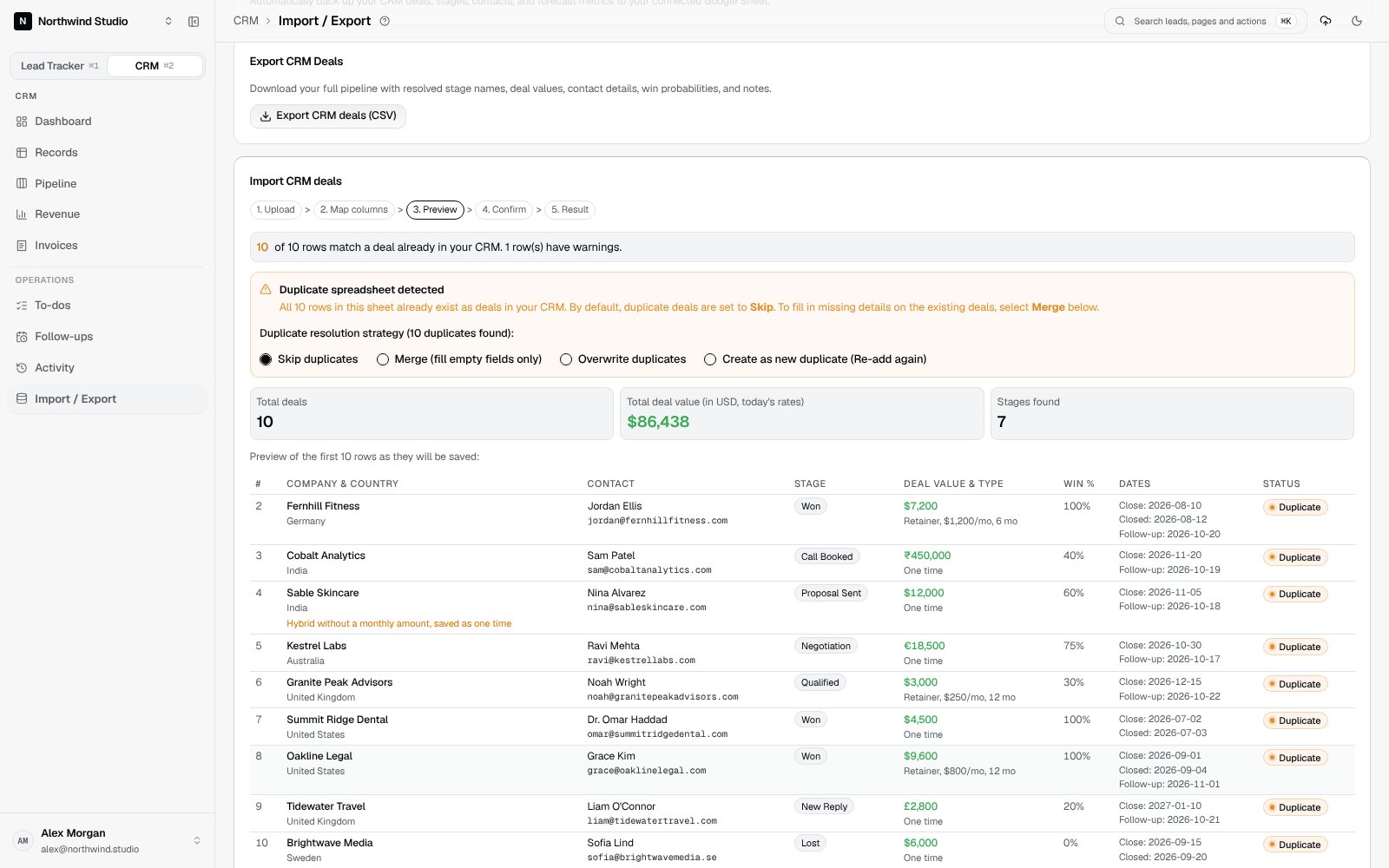
- NewCRM deals import from a CSV, Excel file or Google Sheet link, with stage, value, currency, deal type, win chance, owner, country and follow-up date.
- NewSmart column matching by header words and by values (emails, phones, amounts, percentages, dates, countries). It runs in your browser and uses no AI credits.
- NewDuplicates are flagged before saving, with Skip, Merge, Overwrite or Re-add. Companies already in Lead Tracker are added to the CRM instead of being created twice.
- NewThe same safety net as the Lead Tracker import: a warning before you leave mid-import, Cancel upload to remove what was saved, and resume or undo an import that was cut off.
- ImprovedAmounts like $45,000.00, €18.500,00, ₹4,50,000, 15k and 2.5M are read correctly, and the preview total is converted into your CRM currency.
- ImprovedExport CRM deals as a CSV with stage names, values, contacts, win chances and notes.
- FixedLead Tracker and CRM import templates for the same sheet layout no longer overwrite each other.
Smart Lead Clipper
Save a prospect from LinkedIn, Instagram, YouTube or any website in one click, with no extension to install. The Clipper finds their country, emails and links for you.
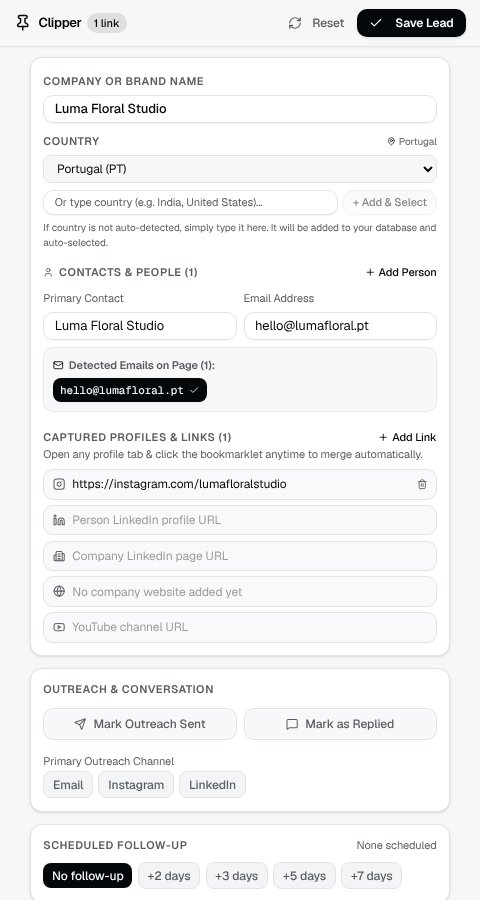
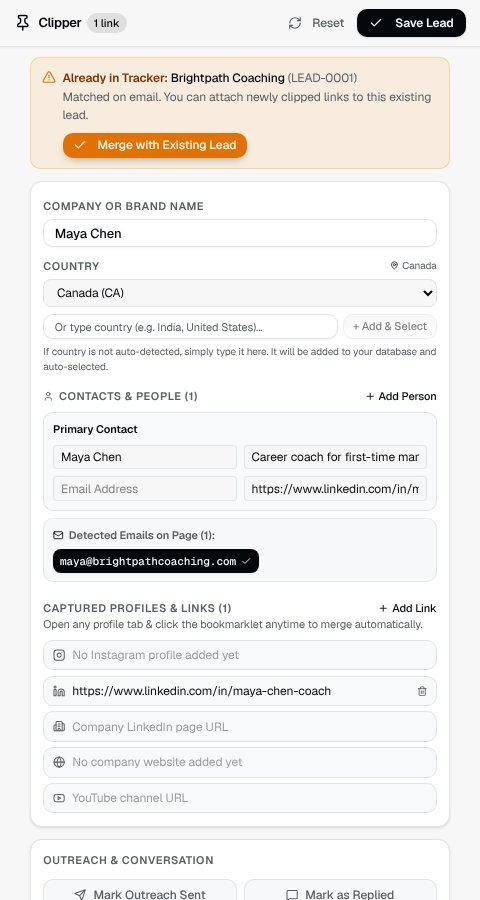
- NewOne-click Clipper bookmark: clip a profile or website into a small window and save it as a lead, checked against your workspace for duplicates.
- NewCountry detection from bios, location tags and flag emojis, across 195+ countries and major cities.
- New+ Add & Select: type any country to add it to your workspace and pick it in one step.
- NewExtra links with your own labels for portfolios, newsletters and link-in-bio pages.
- ImprovedVideo descriptions, disclaimers and repeated social links are left out of what gets clipped.
Date pickers and a faster lead stream
Every date field now uses the same in-app calendar, and the Today stream lets you schedule follow-ups and copy messages without leaving it.
- NewIn-app date and date range pickers with quick picks like Today, Tomorrow, +2d, +1w and Year to date.
- NewFollow-up popover in the Today stream: schedule +2d, +3d or +1w and copy a message template in one click.
- NewClick a company name to open the lead in a side panel without losing your place.
- ImprovedSharper channel icons, and the Leads sidebar shows your three main channels.
- ImprovedPages refresh only the data that changed, so moving around feels quicker.
Tracker Pro and Tracker Max
Two plans to choose from after your 7-day trial, with a clear checkout and an AI import allowance you can see.
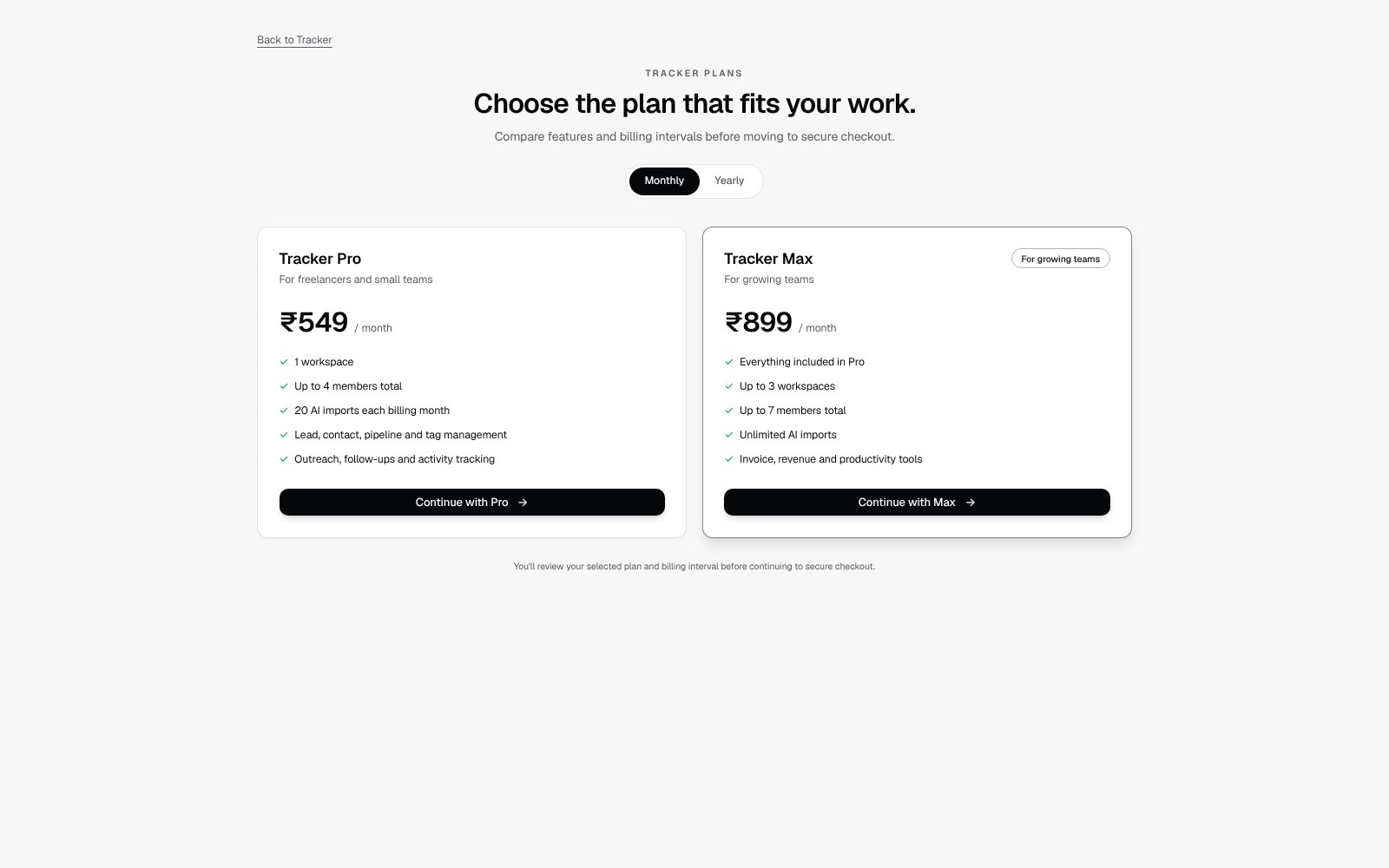
- NewTracker Pro (₹549 a month or ₹5,299 a year) and Tracker Max (₹899 a month or ₹8,099 a year), each with a 7-day free trial.
- NewAI imports: 20 a month on Pro, unlimited on Max, and 3 during the trial.
- NewMax covers up to 3 workspaces and 7 team members; Pro covers 1 workspace and up to 4 team members.
- ImprovedA review page before checkout, and cancelling keeps access until the end of the period you paid for.
Invoices
Create, preview and print client invoices from the CRM, and stop worrying about losing edits.
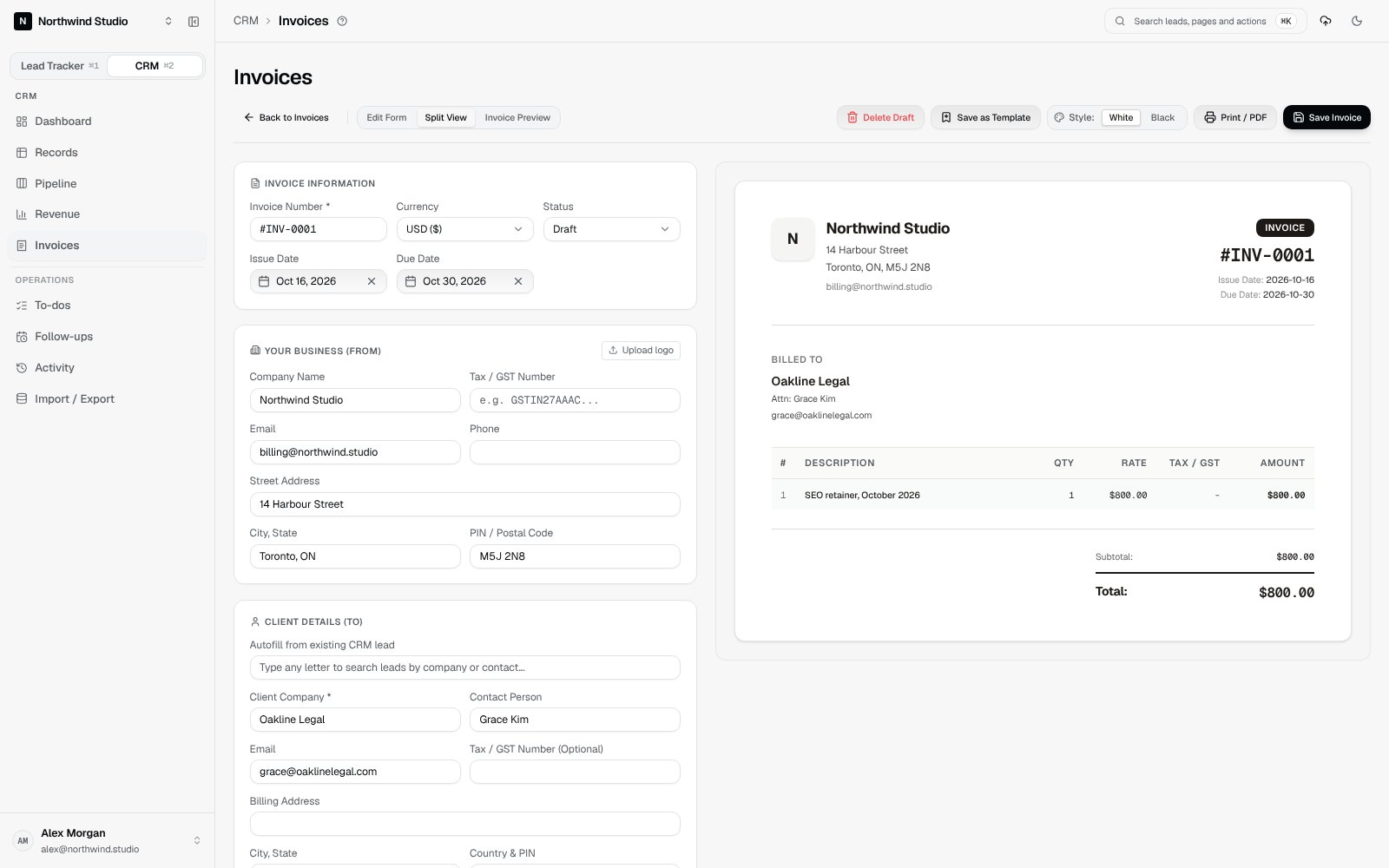
- NewInvoice workspace: create, edit, duplicate, preview and print invoices, or save them as PDF.
- NewReusable templates for line items, currency, theme, notes, terms and payment details.
- NewBusiness defaults so your sender and bank details are filled in on every new invoice.
- ImprovedStart an invoice from a deal and the client and amount are filled in for you.
- ImprovedLeaving an unsaved invoice asks whether to save, discard or keep editing, and a draft can be recovered in the same browser.
- FixedSaves only show as saved once they are really stored, and errors are shown instead of hidden.
AI column matching for Lead Tracker imports
Upload a messy sheet and AI matches the columns, including several contacts per company and your message drafts.
- NewAI reads your headers and a few sample rows (never the full sheet) and suggests a match for every column.
- NewLeaving or closing the page mid-import asks first, and Cancel upload removes what was saved.
- NewResume an import that was cut off by a closed tab or a sleeping laptop.
- ImprovedDuplicate check across emails, website domains, names and rows repeated inside the sheet.
- FixedSecond and third email addresses go to Person 2 and Person 3 instead of being dropped.
Lead cards
A card view for your leads with the contact, outreach status and message draft at a glance.
- NewLead cards show outreach status, primary contact, a snippet of your message and quick actions.
- ImprovedCard and grid views load page by page, so large lists stay fast.
- FixedA lead with an outreach date is marked as emailed automatically.
Google Sheets sync
Your workspace backs up to your own Google Sheet, and imports set up your stages and channels for you.
- NewNew stages and channels found in an imported sheet are offered for your workspace in one step.
- ImprovedAutomatic Google Sheet backups, hourly or daily.
See it in your own workspace.
Start a 7-day trial and bring your current sheet or CRM export with you.
Want to see it first? Book a 20-minute demo